Novell Netware 5.0 SP6a and higher, plus 5.1 SP2a and higher can disable it on the server
Open the Novell Netware console and type Monitor.
Go to Server Parameters.
Go to NCP.
Go to Client File Caching Enabled.
Press Enter and set it to OFF.
Press Escape and exit Monitor.
Type Nwconfig.
Go to NCF files Options.
Go to Edit AUTOEXEC.NCF.
Check to see if a set-command exists:
set client file caching enabled = on
In that case, remove the line.
Restart the server (down, server).
If you cannot configure the Novell server, you can turn off oplocks on the workstations:
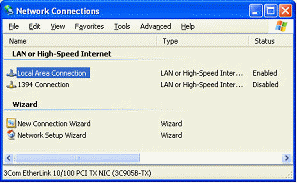
On each workstation, modify the two settings "File Caching" and "File Commit". First open the Network properties:
Then locate the Novell Client:
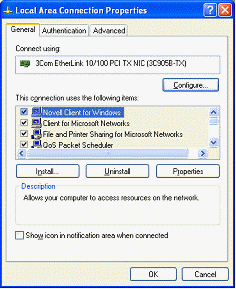
Then open the Novell Client properties and locate the Advanced settings and File Caching:
(On older Novell Client versions, the setting may be named "Op-Locks")
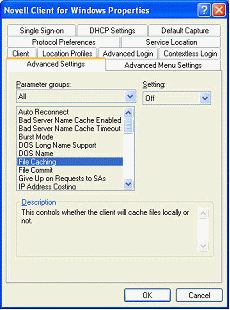
Set it to OFF, and then locate the File Commit setting:
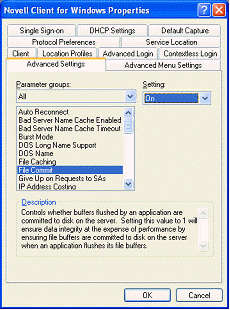
Set it to ON.
Repeat this on all other computers.